Fitness assessment tracking is most useful when a trainer can compare like with like and turn the record into a clear next conversation. A result without its date, unit or context is difficult to use. A record that nobody revisits is difficult to act on.
This guide covers the administrative workflow for organizing assessment records. It does not choose exercises, interpret medical information or set pass marks. Trainers should use assessments appropriate to their qualifications and each client’s circumstances.
Choose a small record your team can maintain
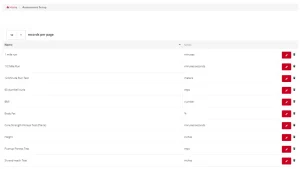
Start with the information needed for a useful review: the assessment name, date, result, unit, relevant conditions and next review date. Use a consistent name so one trainer does not record the same assessment under several labels.
Decide who enters the result and who checks it. If the client records information, explain which fields they should complete. Keep sensitive details within the appropriate private record and limit access to the people who need them.
Make the comparison understandable
Record whether a value is a time, count, distance or other measure. Note relevant differences in the setup. If the method changes, label the change rather than presenting the new value as directly comparable with an older one.
For example, a sample record might say: assessment name, November 2 baseline, unit used, setup notes, November 30 review. Those dates are an illustration, not a recommended testing schedule. The trainer chooses an appropriate review interval.
Use a repeatable fitness assessment tracking workflow
- Prepare: Confirm the assessment and record format before the session.
- Record: Enter the date, result and unit while the details are clear.
- Check: Review missing fields and obvious entry errors.
- Discuss: Explain the record in terms the client understands, within the trainer’s scope.
- Plan: Agree on the next action and record who will follow up.
The goal is a usable record, not a large collection of numbers. If a field never informs a conversation or decision, ask whether your team needs it.
Keep a simple review checklist
| Record field | Check before the review |
|---|---|
| Assessment name | Uses the agreed label |
| Date and result | Both are present and checked |
| Unit and setup | Comparison is meaningful or differences are noted |
| Client conversation | Notes explain the next practical step |
| Follow-up | Owner and review date are recorded |
Test the software with a fictional client
Before moving your records, ask to enter two sample results and find them again. Can a trainer identify the earlier result, the unit and the relevant context? Ask what clients can see, what staff can edit and which information can be exported. Confirm these requirements in the product rather than assuming they are included.
RhinoFit describes workout, fitness assessment and benchmark tracking among its gym software features. Its workout tracker overview provides more context. Use a demo to verify your exact record format and staff workflow.
Connect progress reviews with the rest of the client experience
An assessment record is one part of the relationship. Check whether the client has the next appointment or class information they need. A clear class and appointment calendar can support the administrative handoff, while the trainer remains responsible for the coaching conversation.
For broader software evaluation, bring the gym management software scorecard. Review recording, scheduling, member communication and support as separate tasks. Do not treat a feature label as proof that every step has been demonstrated.
Walk through your process
Book a RhinoFit demo with a fictional client example and the fields your trainers need. Ask the team to show how records fit your workflow, then confirm any limitations before making a change.